













KingHills Mobile App Guide: Play Casino Games From Your Phone in 2026
The KingHills Mobile Experience
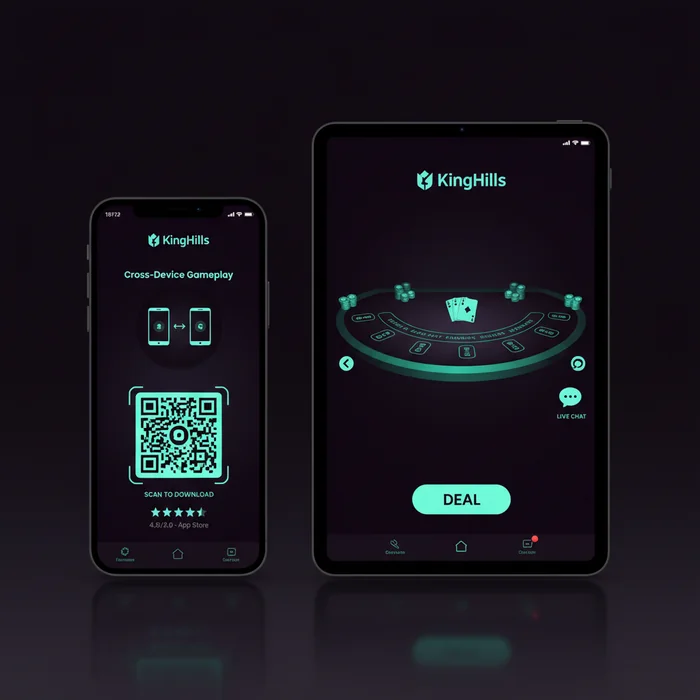
Many players assume the KingHills mobile app is simply a scaled-down version of the desktop platform — a common misconception we hear often. The reality is quite the opposite. Our mobile environment was built from a separate design framework, meaning touch controls, layout proportions, and navigation menus were engineered specifically for smaller screens rather than retrofitted from a desktop build.
Whether you're commuting, on a lunch break, or simply prefer the couch over a desk, our platform delivers the full casino experience through both a dedicated app and an instant-play mobile browser. You can deposit funds, claim bonuses, contact support, and play hundreds of titles — all without touching a laptop. As our player, you'll find that the transition between devices is seamless, with your account balance, active bonuses, and game history syncing in real time across every platform you use.
Device Compatibility at KingHills
| Platform | Minimum Version | Download | App Size |
|---|---|---|---|
| iOS (iPhone & iPad) | iOS 13.0 or later | Available via App Store | Approximately 78 MB |
| Android | Android 8.0 (Oreo) or later | APK direct download from our site | Approximately 65 MB |
| Windows (Desktop) | Windows 10 or later | No download — browser-based | N/A |
| Mobile Browser (Any OS) | Chrome 90+, Safari 14+, Firefox 88+ | No download required | N/A |
| Tablet (iOS & Android) | Same as phone requirements above | Same app, optimized tablet layout | Same as phone app |
iOS Compatibility Details
KingHills iOS users running version 13.0 or above will find the app fully supported on iPhone models from the iPhone 8 onward, as well as all iPad Air and iPad Pro generations released after 2019. The App Store listing is kept current, and updates are pushed automatically when you have auto-update enabled — so you're always running the most stable version without manual intervention.
Face ID and Touch ID authentication are both supported within the app, allowing you to log in securely without typing your password each session. This is particularly useful when accessing your account quickly between spins or before a live dealer session begins.
Android Compatibility Details
Because Google Play Store policies restrict real-money gambling apps in certain regions, the KingHills Android app is distributed as a direct APK download from our official site. The process takes under two minutes and requires enabling "Install from unknown sources" in your Android security settings — a standard step for any APK installation. Detailed instructions are provided in the download section below.
The Android build has been tested across Samsung Galaxy, Google Pixel, OnePlus, and Xiaomi device families. Performance is consistent across all of them, provided the device meets the Android 8.0 minimum requirement.
Mobile App vs Desktop: Feature Comparison
| Feature | Mobile App | Desktop |
|---|---|---|
| Game Selection | 1,800+ mobile-optimized titles | 2,400+ titles including flash-only games |
| Graphics Quality | Full HD on modern devices; adaptive rendering | Full HD and ultra-wide display support |
| Loading Speed | Fast on 4G; near-instant on 5G | Dependent on broadband connection |
| Push Notifications | Yes — bonus alerts, deposit confirmations | Browser notifications only (opt-in) |
| Exclusive Bonuses | Mobile-specific promotions available | Standard promotional calendar |
| Payment Methods | All methods including Apple Pay & Google Pay | All standard methods; no mobile wallets |
| Live Chat Support | Fully functional, floating chat widget | Fully functional, sidebar panel |
When Mobile Works Best
The app excels in situations where convenience is the priority. Slot sessions, quick table game rounds, and bonus claims are all faster to initiate on mobile — you're two taps away from a game rather than navigating through a full browser interface. Push notifications also give mobile users a genuine edge: when a limited-time promotion goes live, app users receive an alert immediately rather than discovering it hours later.
Desktop remains the preferred environment for extended live dealer sessions, where a larger screen adds meaningful context to the table layout, card distribution, and dealer interaction. For everything else, the mobile experience holds its own without compromise.
How to Download the KingHills App
iOS Download
- Open the App Store on your iPhone or iPad and search for KingHills Casino.
- Tap the download button and wait for the installation to complete — the app is under 80 MB and installs quickly on most connections.
- Open the app and tap Log In if you already have an account, or select Register to sign up at KingHills directly from your device.
- Enable push notifications when prompted — this ensures you receive bonus alerts and account updates in real time.
Android Download
- Visit our mobile app page from your Android browser and tap the Download APK button.
- Before installing, go to Settings → Security → Install Unknown Apps and enable permissions for your browser or file manager.
- Open the downloaded APK file from your notification bar or Downloads folder and tap Install.
- Once installed, open the app, log in with your existing credentials, or complete the KingHills sign up process to create a new account.
No download? No problem. Our full mobile casino is accessible directly through your phone's browser at casinokinghills.com — no installation required. Simply visit the site, log in or register, and start playing. The browser version supports all games, payment methods, and live support features. It's the fastest way to get started if you'd rather not install an app.
What You Get Inside the App
Games on Mobile
The KingHills mobile app gives you access to over 1,800 titles specifically optimized for touch interaction. These span slots, live dealer tables, virtual sports, video poker, and scratch cards. Every game in the mobile library has been verified to render correctly in both portrait and landscape orientation — a detail that matters more than most players realize when switching between a quick slot spin and a full live blackjack session.
Among the most-played mobile titles on our platform are Gates of Olympus by Pragmatic Play, Sweet Bonanza, and Crazy Time Live by Evolution — all of which were built with mobile-first interfaces and perform particularly well on 5G connections. Touch controls on these games are responsive to the point where swipe gestures and tap-hold functions feel native rather than adapted.
Our mobile game library is updated on the same schedule as desktop, meaning new releases appear simultaneously across both environments. You won't find yourself waiting for a mobile version of a new slot that's already live on desktop — the rollout is unified.
Mobile Bonuses
As a KingHills mobile player, you have access to the full bonus and promotions calendar, including welcome offers, reload bonuses, free spin packages, and loyalty rewards. These are identical to what desktop players receive — we don't segment the promotional calendar by device. What the app adds on top of this is a layer of mobile-specific offers that appear periodically and are delivered directly via push notification.
The KingHills mobile bonus notifications are opt-in and time-sensitive by design. When a flash promotion runs — such as a limited free spin drop tied to a new game launch — app users are typically the first to know and the first to claim. These offers are not always listed on the main promotions page, making push notifications genuinely worth enabling.
Wagering requirements, bonus terms, and expiry windows are the same regardless of whether you claim an offer on mobile or desktop. There are no hidden conditions attached to mobile-specific promotions — the terms are displayed in full before you accept any offer.
Banking on Mobile
Every payment method available on desktop is also accessible through the KingHills app and mobile browser. This includes Visa, Mastercard, bank transfers, and a range of e-wallets such as Skrill and Neteller. On mobile specifically, we also support Apple Pay for iOS users and Google Pay for Android — both of which allow one-tap deposits without entering card details manually.
Withdrawals are processed through the same interface. You can submit a withdrawal request, track its status, and receive confirmation — all from your phone. Processing times vary by method: e-wallet withdrawals are typically the fastest, while bank transfers follow standard banking timelines. The mobile interface displays estimated processing windows clearly at the point of request.
For players who prefer crypto, our mobile banking section also supports selected cryptocurrency options. Deposits via crypto are processed on-chain and credited to your account once the required confirmations are reached — the app displays live confirmation status so you're never left guessing.
Performance and Connection Quality
Speed and Data Efficiency
On a standard 4G connection, game loading times across the KingHills app are consistently short — most slots load within a few seconds, and live dealer streams stabilize quickly once the initial buffer completes. On 5G, the difference is noticeable: streams run at higher bitrates and load times drop further, which benefits live table games the most. We recommend a minimum of 10 Mbps for live dealer sessions and 4 Mbps for standard slot play.
Data consumption is managed through adaptive streaming. The app adjusts video quality based on your current connection speed, which helps avoid buffering during live games without requiring you to manually change settings. For players on limited data plans, this adaptive behavior keeps usage reasonable during typical sessions.
Push Notifications and Battery Use
Push notifications are delivered through standard OS notification channels and have no measurable impact on battery life when the app is running in the background. The app itself is optimized to release system resources when minimized, meaning it won't drain your battery noticeably during extended play breaks.
For players who want to manage battery use during long sessions, reducing screen brightness and enabling your device's battery saver mode are the most effective steps — these are device-level settings rather than app-specific ones, but they make a meaningful difference during extended play.
Performance tip: For the smoothest live dealer experience on mobile, connect to Wi-Fi when available and close background apps before starting your session. The KingHills app performs best when it has consistent bandwidth and isn't competing with other data-heavy applications running simultaneously.
Start Playing on Mobile Today
The case for mobile is straightforward: the KingHills Casino app puts a fully functional casino in your pocket, with no meaningful compromise on game selection, bonus access, or banking capability. Whether you install the app or play through your browser, the experience is built to the same standard as our desktop platform — just optimized for how you actually use your phone.
New players can create a KingHills account directly from the app or mobile browser in under three minutes. Existing players can log in immediately and pick up exactly where they left off on any device. The platform handles the sync — you just play.
Here's how to get started right now:
- Download or open your browser — install the app from the App Store (iOS), download the APK from our site (Android), or simply visit casinokinghills.com on your mobile browser.
- Register or log in — new players complete a quick registration; returning players log in with existing credentials. Both take under a minute on mobile.
- Enable push notifications and make your first deposit — turn on notifications so you don't miss time-sensitive offers, then use Apple Pay, Google Pay, or your preferred method to fund your account and start playing.
Everything you need is already in place. KingHills is ready when you are — tap, play, and enjoy the full casino experience from wherever you happen to be.
Frequently Asked Questions
How do I download the KingHills casino app on my Android phone?
Since Android devices do not allow casino apps through the Google Play Store, you need to download the KingHills APK file directly from casinokinghills.com. Before installing, go to your phone's Settings, open Security or Privacy, and enable the option to install apps from unknown sources. The APK file is lightweight and the entire download and installation process typically takes under two minutes on a standard mobile connection.
Is the KingHills app available on the Apple App Store for iPhone and iPad?
Yes, the KingHills app is available for iOS devices and can be downloaded directly from the Apple App Store. It is compatible with iPhones and iPads running iOS 13.0 or later, which covers the vast majority of Apple devices currently in use. Simply search for KingHills in the App Store, tap Get, and the app will be installed on your device within seconds.
What games can I play on the KingHills mobile app?
The KingHills mobile app gives you access to the full library of games available on the desktop site, including hundreds of slots, live dealer tables, roulette, blackjack, and video poker. Games are optimized for touchscreen play, with smooth graphics and responsive controls designed specifically for smaller screens. You can switch between games instantly without reloading, making the mobile gaming experience just as seamless as playing on a computer.
Do I need to create a separate account to use the KingHills app?
No separate account is needed — you simply log in to the KingHills app using the same username and password you use on casinokinghills.com. Your account balance, bonuses, transaction history, and personal settings are all synchronized in real time across the desktop site and the mobile app. If you are a new player, you can also register a new account directly through the app in just a few minutes.
What should I do if the KingHills APK file won't install on my Android device?
The most common reason an APK fails to install is that the option to allow installations from unknown sources has not been enabled in your device settings. Navigate to Settings, then Security or Apps, and toggle on the permission for your browser or file manager to install unknown apps. If the issue persists, make sure you have at least 100 MB of free storage space and that you are downloading the latest version of the APK directly from casinokinghills.com rather than a third-party source.